Selection
Charm has multiple kinds of selections. The tree view and the listing view each have separate notions of selection that are not linked with each other; selections in the tree view do not affect what is selected in the listing view, and vice versa.
Tree View
The tree view permits selecting any number of nodes located anywhere in the hierarchy. This can be used to edit properties of single nodes, or mass-apply properties to large sets of nodes. Selecting a node does not imply selecting its descendants, and selected nodes may be hidden in a part of the tree that is not expanded.
There are a few context menu actions to assist in making tree view selections.
- Select all
Selects all nodes in the entire document, including those which are not currently visible in the tree view.
- Select descendants
Selects all grandchildren of currently selected nodes, including those which are not currently visible in the tree view.
- Select none
Clears the current tree view selection.
Listing View
The listing view supports two different types of selections, but only one may be active at a time according to the current selection mode: structure selections and address selections. These are separate because selections created in one mode are frequently nonsensical for actions associated with the other mode to operate upon.
The current selection mode can be changed in either the Edit menu or with the selection mode button. A best-effort attempt will be made to convert any existing selection to the other type, but this is not always possible.
Address Selections
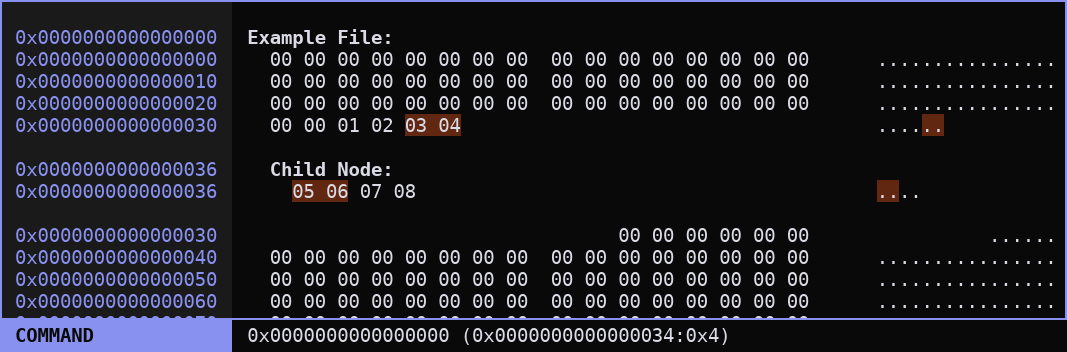
Address selections begin at an address in the document’s underlying address space and end at a higher address in the same underlying address space. They represent a continuous span of data, without skipping or repeating any addresses. These selections ignore node boundaries.
These selections enable data operations, such as filling or copying and pasting data bytes.
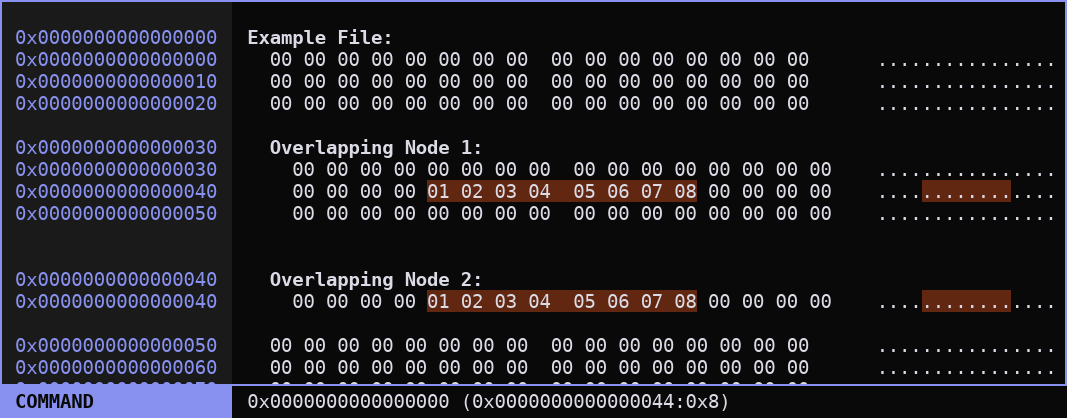
Because nodes may overlap each other and include the same address twice, an address selection can sometimes appear discontiguous, but the data it represents is not discontiguous; only the structured representation of that data is discontiguous.
Structure Selections
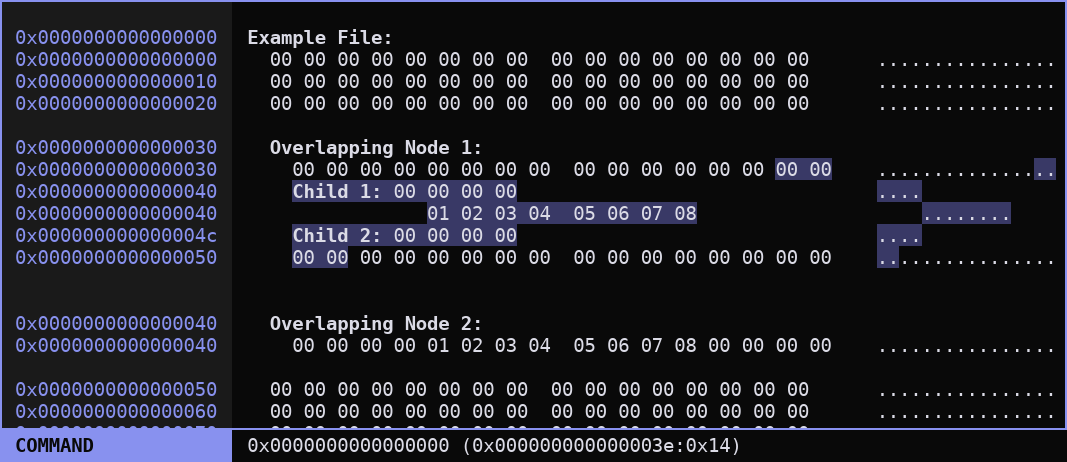
Structure selections encompass a range data and children within a single parent node. A structure selection cannot begin and end in different nodes; if the selection contains any child nodes within it, it must contain them in their entirety.
This type of selection is appropriate for structure-focused operations such as inserting new nodes, nesting nodes, deleting nodes, or creating arrays.
If nodes overlap each other, resulting in the same address appearing in multiple locations within the listing, those locations are selectable independently even though they correspond to the same address.